AutoLedger: Expense Tracker
A local-first personal ledger for your Apple devices
Capture expenses from screenshots, receipts, text, voice and automated imports—while keeping your personal ledger under your control.
No AutoLedger account required. Optional iCloud and cloud services stay under your control.
AutoLedger: Expense Tracker is a local-first personal expense tracker designed for iPhone, iPad, Mac and Apple Watch.
Five languagesEnglish, 简中, 繁中, 日本語, 한국어
Local-firstRecognition and ledger work begin on device
Apple ecosystemCapture, review, and glance across devices
Review before saveAutomation stays inspectable and reversible
Capture
A record starts wherever the expense appears.
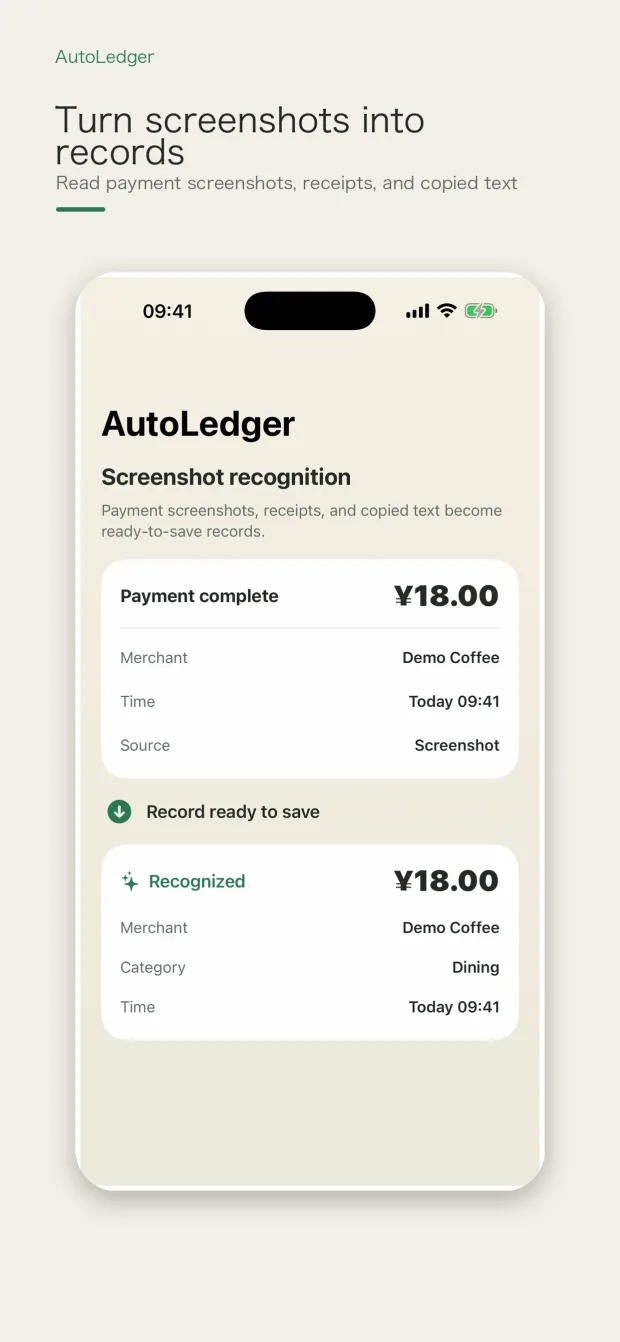
Import a payment screenshot, photograph a receipt, speak one sentence, share from another app, or run a Shortcut. AutoLedger extracts a draft and keeps you in control of the final record.
01Screenshots and receipts
On-device OCR and parsing extract a draft amount, merchant, time, and useful context from the material you choose. Recognition can vary with image quality and layout, so you can inspect and correct every result before saving.
Explore screenshot and receipt expense tracking
02Voice and natural language
Say or type a simple expense, review the parsed amount and details, and keep moving. Local intelligence is used when available.
Explore text and voice expense entry
03Shortcuts and sharing
Use the Action Button, Shortcuts, App Intents, clipboard, camera, or Share Extension to reduce repeated steps while keeping the save decision visible.
Explore automated expense imports
Organize and understand
More than an inbox for expenses.
Multi-ledger organization, merchant aliases, categories, subscriptions, advanced search, cleanup tools, monthly reports, and export turn captured records into a usable financial memory.
01Multiple ledgers
Separate personal, travel, work, or family records while keeping capture fast.
02Reports that explain
See categories, trends, frequent merchants, subscriptions, and month-to-month changes.
03Clean up in batches
Find duplicates, normalize merchants, apply confirmed rules, and review cloud-assisted suggestions before using them.
Hotel folios
Keep the stay, not the paperwork.
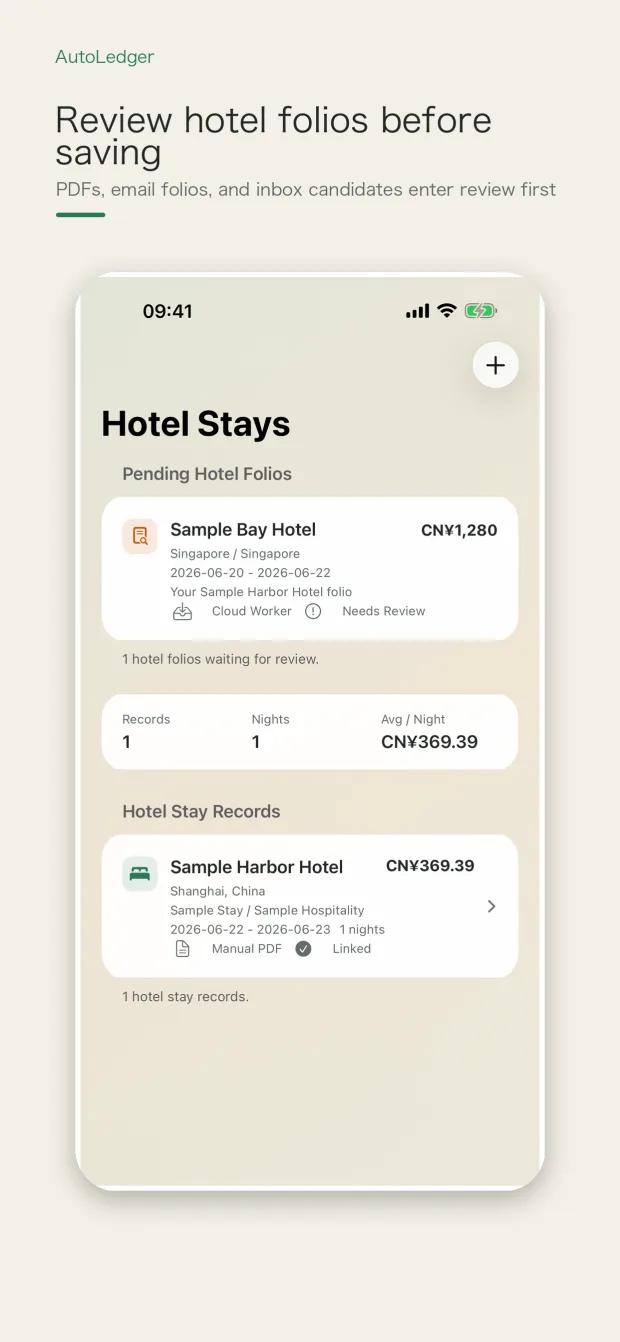
Import folio PDFs manually, scan a mailbox locally, or use a dedicated AutoLedger Pro cloud inbox. Candidates stay separate until you review and confirm them.
- PDF and email folio workflows
- Stay totals and ledger records stay linked
- Cloud candidates never write directly into your ledger
Explore the hotel folio archive
Apple ecosystem
Start on one screen. Continue on the right one.
Capture and manage on iPhone, iPad, and Mac. Add quickly from Apple Watch. Use read-only dashboards on Apple TV and Apple Vision Pro when a glance is enough.
iPhone · WatchFast capture
Shortcuts, voice, camera, screenshots, sharing, and wrist-first quick add.
iPad · MacRoom to organize
Review ledgers, reports, cleanup, settings, and hotel records with more space.
iCloudOptional continuity
When enabled, iCloud keeps supported records in step across your Apple devices.
Use AutoLedger on Apple Watch
Privacy by boundary
Local-first, not cloud-blind.
Core recognition and ledger work begin on your device. Networked features are optional, purpose-specific, and documented instead of hidden behind an absolute promise.
On deviceOCR, parsing, classification, deduplication, reports, and ledger editing are designed around local processing.
When you opt iniCloud sync, the Pro folio inbox, Common API services, entitlement checks, and anonymous diagnostics use their specific cloud paths.
Your controlReview drafts before saving, manage permissions, turn off optional services, export records, or delete local data.
Learn about local-first expense tracking
Spend your attention on the month, not every entry.
AutoLedger is free to start. AutoLedger Pro adds advanced automation while your saved records remain yours.