
Apple ecosystem
AutoLedger supports iPhone, iPad, Mac and Apple Watch. The watch experience complements rather than duplicates the full app interface.
 AutoLedger
The easiest expense to forget is the one you planned to record later. AutoLedger gives Apple Watch a focused quick-add role, while larger screens remain available for detailed review, reports and organization.
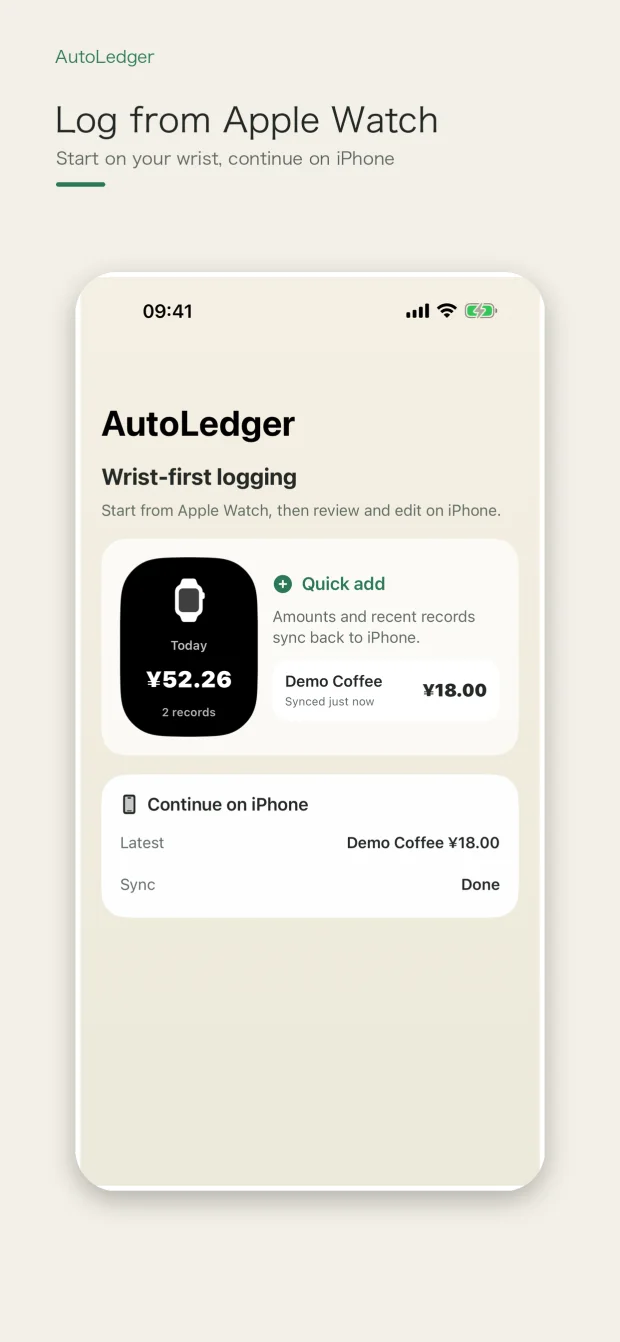
Use the watch for a compact expense entry when reaching for your phone would interrupt the moment. Continue on iPhone, iPad or Mac when you want more room to check records, adjust categories or understand the month.
AutoLedger supports iPhone, iPad, Mac and Apple Watch. The watch experience complements rather than duplicates the full app interface.
Full receipt-image review, advanced cleanup, detailed reporting and broad settings are better suited to iPhone, iPad or Mac.
When you enable supported iCloud synchronization, eligible records can stay in step across your Apple devices.
Your ledger is designed around local-first storage. Network services remain tied to the optional features and permissions you choose.