
Supported platforms
Automation centers on iPhone, iPad and Mac capabilities. Available actions can differ by device, operating-system version and granted permissions.
 AutoLedger
Repeated taps can make even a simple ledger hard to maintain. AutoLedger connects supported Apple workflows to a reviewable import path, so automation saves time without concealing what will be stored.
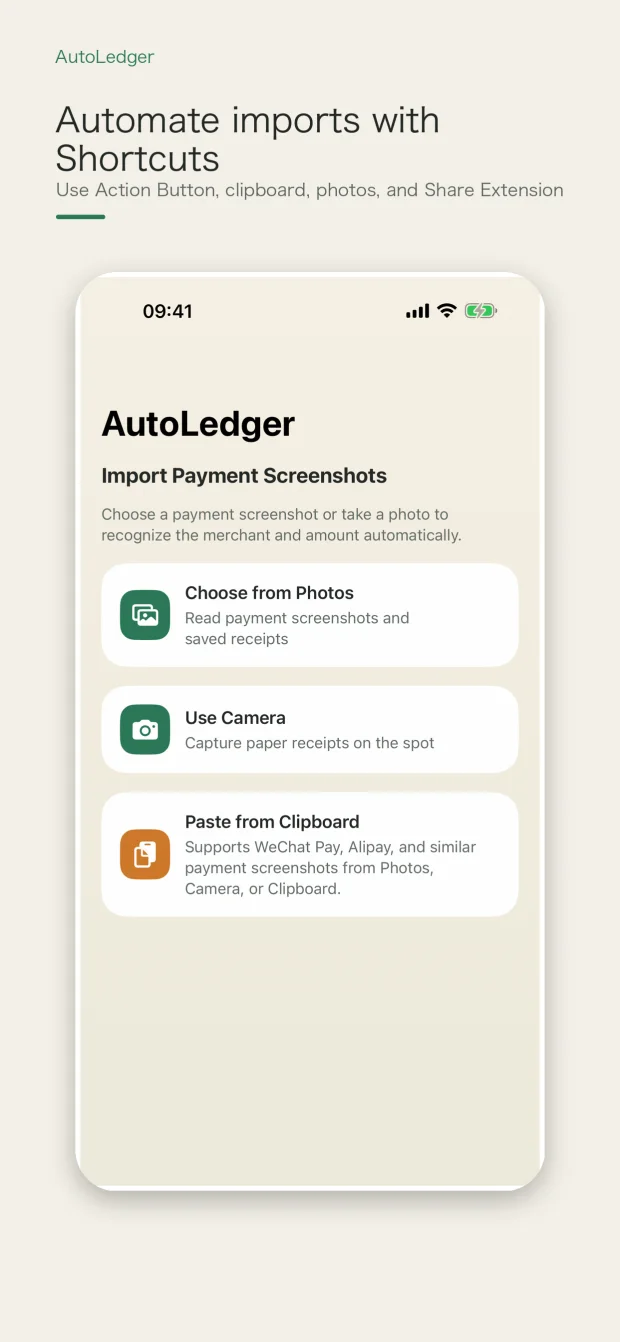
Supported flows include Shortcuts, App Intents, the Action Button, clipboard import, camera capture and the Share Extension. AutoLedger organizes incoming material as a draft or supported import result and keeps correction tools available.
Automation centers on iPhone, iPad and Mac capabilities. Available actions can differ by device, operating-system version and granted permissions.
AutoLedger does not present automatic bank-account synchronization as a supported import source. This page only describes workflows the app currently exposes.
An automation can receive incomplete or duplicated material. Check the proposed record and use duplicate-cleanup tools when necessary.
Clipboard, photo, camera, sharing, iCloud and optional cloud services operate only through their relevant permissions or explicit settings.