
Supported platforms
Image-based capture is designed for iPhone, iPad and Mac. Apple Watch focuses on quick entry rather than full receipt-image review.
 AutoLedger
Payment screens and paper receipts often contain the details you need, but copying each field is slow. AutoLedger turns a screenshot, receipt photo or selected image into a draft instead of forcing you to rebuild the expense by hand.
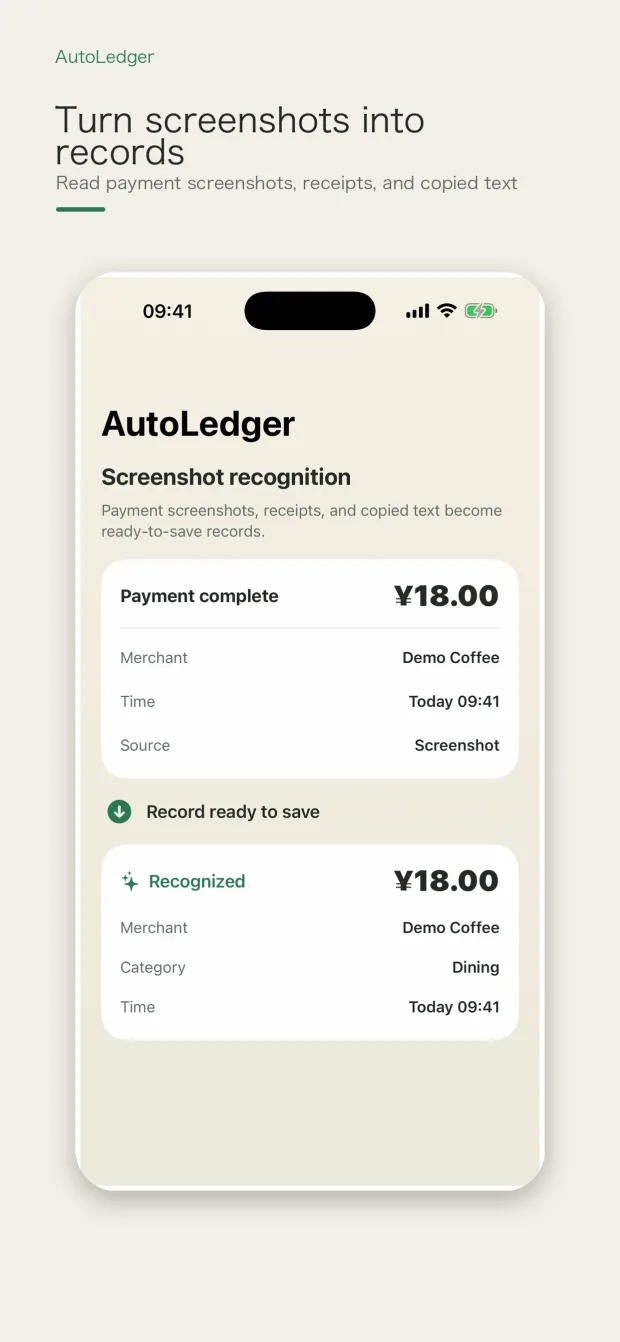
AutoLedger uses on-device OCR and parsing for the material you choose. It can extract likely amounts, merchants, times and context, then presents the result for inspection and correction before it enters your ledger.
Image-based capture is designed for iPhone, iPad and Mac. Apple Watch focuses on quick entry rather than full receipt-image review.
Results vary with image clarity, cropping, language and receipt layout. AutoLedger does not claim perfect recognition, and you remain responsible for checking the draft.
Core OCR and ledger editing are designed around on-device processing. Optional services you explicitly enable may use their documented cloud paths.
Only import screenshots and receipts you are comfortable processing. You can edit or discard a draft without saving it as a formal ledger record.