
Supported platforms
Hotel records are managed on iPhone, iPad and Mac. Apple Watch is designed for quick expense entry, not folio-document review.
 AutoLedger
A hotel charge is more useful when the folio, hotel name, amount and stay context remain together. AutoLedger provides a dedicated archive for viewing hotel expenses without flattening every document into an ordinary transaction.
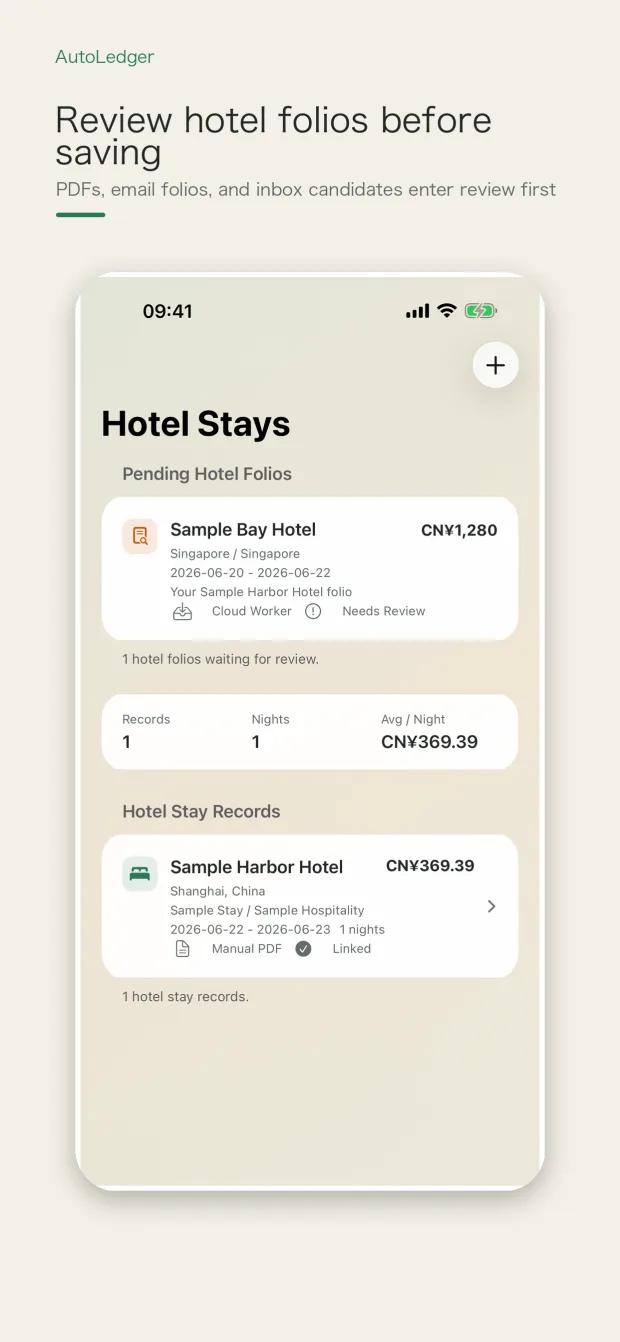
Import a folio PDF manually, scan a mailbox locally, or use the dedicated AutoLedger Pro cloud folio inbox. Candidate material remains separate from the formal ledger until you review and confirm it.
Hotel records are managed on iPhone, iPad and Mac. Apple Watch is designed for quick expense entry, not folio-document review.
Folio layouts and email content vary by hotel. Detected fields can be incomplete, so each candidate needs review.
Local mailbox scanning keeps credentials in the device Keychain. The optional Pro cloud inbox processes only mail sent to the dedicated AutoLedger address and does not log in to your personal mailbox.
A cloud folio candidate does not become a formal ledger record until it is downloaded and confirmed in the app.